
Trader education
Automated Trading, Explained: Pros, Cons, and How to Run It the Right Way
November 6, 2026 · 7 min read · Hobe Sound Trading
Most traders don’t lose because they lack a good idea. They lose because they don’t follow it. Automation is built to fix that. It’s also easy to misunderstand, so here is the plain version.
What automated trading is
Automated trading means a computer places your trades from rules you set ahead of time. You pick the conditions, and software watches the market and acts when they’re met. You aren’t clicking buy or sell, and the rules don’t change mid-trade.
The pros
- It follows the plan. The rules are the same on the first trade of the day and the tenth.
- It doesn’t get tired. A program doesn’t miss a setup because you stepped away or looked at the wrong chart.
- It removes in-the-moment decisions. Many mistakes happen in the seconds after a loss. A system has no seconds to rush.
- It’s repeatable. You can test rules on past data and review what happened afterward.
- It scales. One set of rules can run across several accounts at once.
The cons
- It doesn’t make a bad idea good. Automation runs your rules faster. If they’re weak, it loses faster too.
- Backtests have limits. A past test is built with hindsight. It shows what happened, not what will happen.
- Things break. Connections drop, platforms update, and orders can fill at different prices than you expected. Someone still has to check on it.
- It can create false confidence. “The system’s running” is not the same as “the system is working.”
- It costs money. Some automation products carry large setup and monthly fees. Know the full cost before you commit.
The psychology
Automation takes away the worst part of trading, which is you in the middle of a trade. It cuts the urge to move a stop, double down after a loss, or skip a setup because the last one hurt.
It adds a different challenge: letting it run. Watching a system take a losing streak without stepping in is harder than it sounds. Many traders turn automation off right before it recovers, or keep fiddling with settings. If you wouldn’t follow the rules by hand, automation won’t fix that. It just makes the lack of discipline more expensive.
The technicals, in plain English
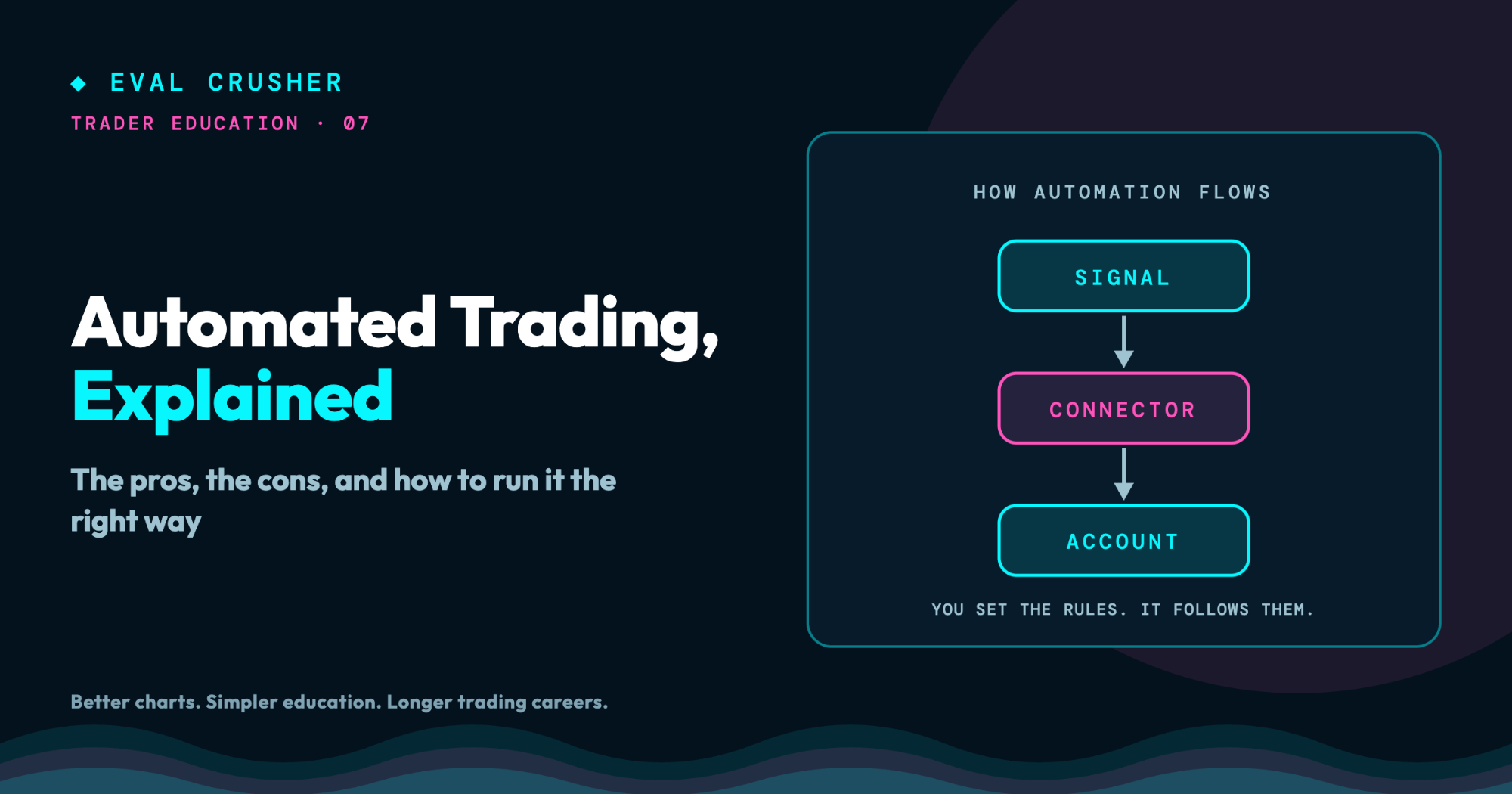
Most setups have three parts:
- A signal source. Something decides when conditions are met. It might be a built-in strategy or an alert from a charting platform such as TradingView.
- A connector. Software that takes that signal and turns it into an order. This is where QuantLynk sits for me.
- A broker or prop firm account. This is where the order is actually placed.
The pieces have to work together. A signal that arrives late or gets rejected by the account does nothing.
Why your connection and speed matter
Futures trade on one central exchange. For contracts like the Nasdaq, S&P and gold, that’s the CME’s electronic market, Globex. Every order from every trader ends up in the same place, and orders are filled in the order they arrive.
That’s why speed matters. Between “the setup happened” and “my order reached the exchange,” there’s a chain of steps:
- Market data. Your platform needs a live feed of prices from the exchange. If the data is late, the signal is late.
- The signal. Your rules decide the conditions are met. If that decision comes from a charting alert, there can be a small delay before the alert goes out.
- The connector. Software turns the signal into an order and sends it on.
- Your broker or prop firm. They check the order and route it to the exchange.
- The exchange. The order joins the line and gets filled.
Each step adds time. Most of it is tiny, but it adds up.
What delay actually costs you: slippage
Prices move while your order is on its way. The difference between the price you expected and the price you got is called slippage. A trade that targets a small move has little room for it. A few ticks of slippage on entry can eat a big share of a small target, and that’s before commissions. It matters most when you use market orders, when the market is moving fast (such as around news), and when your targets and stops are close to your entry.
Speed isn’t the only thing: consistency is
Retail automation isn’t competing with the firms that spend millions to shave off microseconds. You don’t need the fastest connection in the world. You need one that is fast enough and reliable, so your results match what you planned. A system that’s usually quick but sometimes freezes is worse than one that’s steady.
Where your connection can fail
- Your own internet or computer. If automation runs on your home machine, a dropped connection, a restart or a sleeping laptop can stop everything. That’s why many traders run it on a server that stays online instead.
- The distance to the exchange. The CME’s servers are in the Chicago area. A server close to there has less distance to cover, which is why some traders use a VPS in Chicago.
- Your broker or data feed. Connections can lag or drop on their end. Ask how your broker handles that.
- Stops that live on your computer. If a stop only exists in software on your machine, and the machine goes offline, nothing is protecting the trade. Find out whether your stops and targets are held by the broker or exchange, so they still work if your connection drops.
The best way to run automation
- Start with rules you understand. If you can’t explain why the system trades, you won’t trust it when it loses.
- Start small. Use one account and the smallest size you can. Learn how it behaves before adding more.
- Set your risk limits first. Decide the most you’ll lose in a day and in a week, and build those into the setup.
- Define your trading window. Many traders limit automation to a set block of hours, when they’re around to watch.
- Check your connection and fills. Know where your automation runs, where your data comes from, and whether stops rest with your broker. Test in a simulated account first and compare the fills to what you expected. If they’re consistently worse than planned, find out why.
- Review on a schedule, not an emotion. Look at performance weekly. Don’t change rules after one bad day.
- Keep a manual override. Know exactly how to turn it off.
What I use, and why
I run my automation through QuantLynk, using QuantVue’s tools and algos. The main reason is the connection.
As covered above, an automated trade is only as good as the path from signal to exchange. Running that on my own computer means depending on my internet, my machine staying on, and me setting up a server near the exchange. QuantVue handles that side. Their strategies run on their cloud servers, so there’s no VPS for me to manage, and QuantLynk takes the signal and routes the order to my connected account.
For me, that means:
- I’m not the weak link. A dropped home connection or a sleeping laptop doesn’t stop the system.
- Orders go out quickly and consistently. That matters most when targets are tight and the market is moving.
- It scales. QuantLynk can send the same signal to more than one account.
It isn’t cheap or for everyone, and it isn’t a shortcut. QuantVue’s own materials say there is no free trial, all sales are final, and backtested results have inherent limitations. A fast connection also doesn’t make a strategy profitable. It only makes sure the trades you planned are the ones that get placed. Read their disclaimers and fee schedule before you decide.
Disclosure: This post contains an affiliate link. If you sign up through it, I may earn a commission at no extra cost to you. I only share tools I use myself.
Trading futures involves substantial risk of loss and isn’t suitable for every investor. This is education, not financial advice, and past performance doesn’t guarantee future results.